Quick start
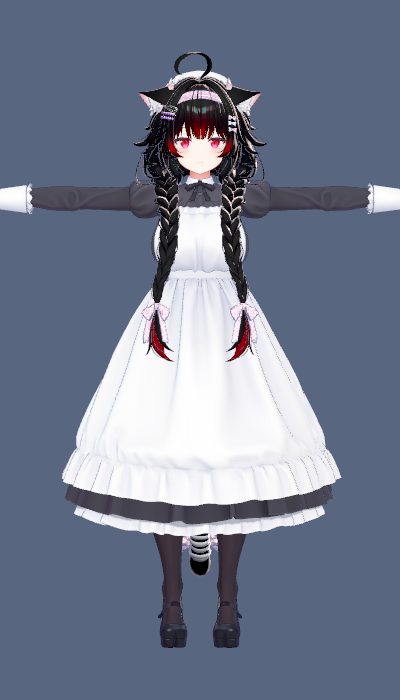
From an imported avatar to toon shading with outlines, in about ten minutes. You need NekoToon installed and an avatar in your scene.
1. Switch the materials to NekoToon#
- Select the avatar's materials in the Project window (you can select several at once).
- In the Inspector, set Shader to 404 → NekoToon.
- If the material came from lilToon, all its settings carry over: NekoToon uses the same property names. If it came from another shader, NekoToon picks up the main texture and color.
The model's FBX can do this in one step: right-click it and use Assets → NekoToon → [Model] Setup from FBX to create NekoToon materials for every slot.
2. Pick a rendering mode#
Use the Presets row under the editor-mode tabs:
- Opaque for skin, clothes and most hair.
- Cutout for lace, hair tips or anything with hard holes from the texture's alpha.
- Transparent for glass, see-through fabric, eye highlights.
- Outline toggles the outline on top of the chosen mode.
More modes (Fur, Refraction, Gem) are under Base Setting → Rendering Mode; see Rendering modes.
3. Shading#
Open the Shadow section and tick its header checkbox. Start with one shadow color slightly darker and more saturated than the skin, then adjust Border (where the shadow starts) and Blur (how soft its edge is). The Preset ▾ menu has ready-made skin, hair and cloth setups you can start from.
4. Outline#
Press Outline in the Presets row, then open Outline and set the width (in centimetres) and color. Use an outline width mask to keep it off the face's inner details.
5. Extras#
- Rim Light for a soft edge glow.
- MatCap for shiny hair, metal or plastic.
- Emission for parts that glow in the dark.
- Fur for ears, tails and fluffy clothing (PC only).
6. Upload#
Build and test with the VRChat SDK as usual. NekoToon prepares and restores its shaders around the build automatically; nothing extra is needed. Check the result in a world with normal lighting and one that is very dark: toon shaders depend on the world's lighting, see Lighting.