
Fur styles
Fur materials in NekoToon can be drawn in three styles: lilToon's original Strands, dense Shell fur and textured Card fur. Shell and Card are based on the fur in Xiexe's Unity Shaders (XSToon 3.0).
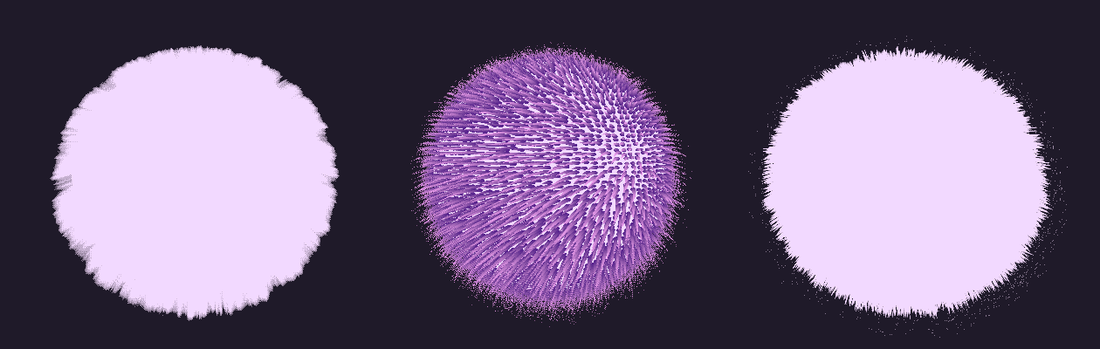
Left to right: Strands, Shell (with root-to-tip color), Card. All in Fur (Cutout) mode.
Setting it up#
- Set Rendering Mode to Fur (Cutout). Plain Fur (transparent) also works, but see the note on shells below.
- Open the Fur section. Set the fur length in Vector (the last value, in object units: metres on a normally scaled avatar) and Gravity.
- At the end of the section, in NekoToon Fur, choose a Fur Style.
Strands#
lilToon's fur: short strips grown from each triangle, shaped by the noise mask. Cheapest of the three and unchanged from lilToon, so existing fur materials look exactly as before. Works best on dense meshes, because the fur follows the triangles.
Shell#
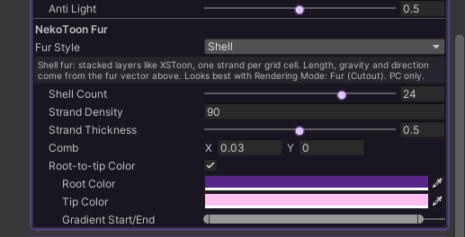
The surface is drawn again up to 32 times, each copy pushed a little further out (the "shells"). On every shell, round strands are cut out in a grid: each strand gets a random height and tapers toward its tip. Near the root the shells follow the surface normal, toward the tip they bend in the fur direction, so Gravity, the vector map and Randomize all shape the fur.
- Shell Count: more shells = smoother strands, more GPU cost. 12–24 is a good range.
- Strand Density: strands per UV unit. 64 means a 64 × 64 grid over the whole texture; raise it for finer fur.
- Strand Thickness: how thick strands are at the root.
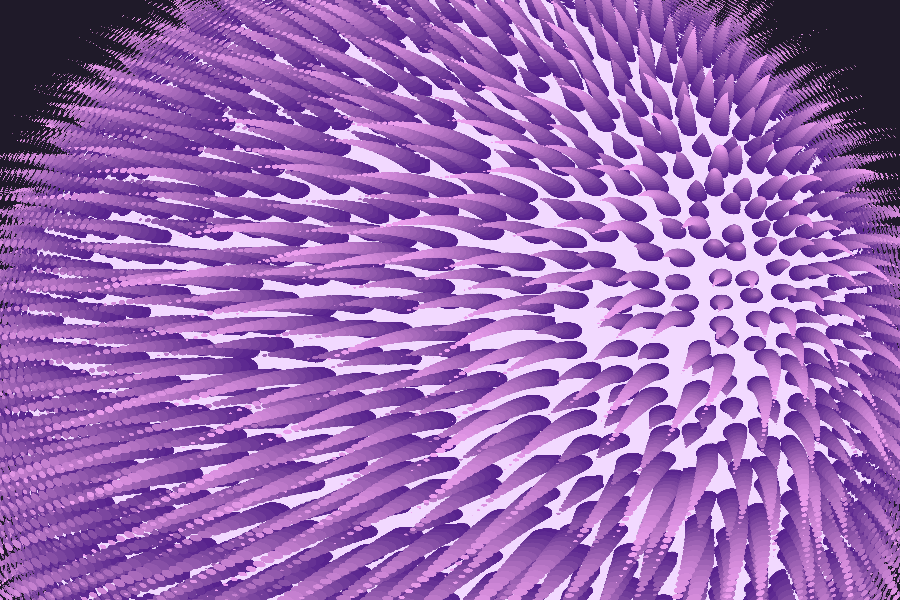
Use Fur (Cutout) for shells. In the transparent Fur mode the layers are blended in an unpredictable order and show triangle-shaped streaks.
Card#
Each triangle grows up to 32 small textured quads ("cards") at random spots, rotated randomly around the fur direction. The card texture's alpha is the strand shape, with roots at the bottom of the image. NekoToon assigns a soft default tuft texture when you switch to Card.
- Cards per Triangle and Card Width set how full the fur looks.
- Length / Width Randomness vary each card.
- Messiness tilts cards away from the fur direction for a wild, unbrushed look.
Comb and color (all styles)#
- Comb (Strands and Shell): shifts the strand pattern along the fur so strands lean and flow, like brushed fur. Small values (0.01–0.05) go a long way.
- Root-to-tip Color: multiplies the fur color from Root Color to Tip Color. Gradient Start/End sets where along the strand the blend happens. Darker roots add a lot of depth.
Performance and platforms#
- All fur uses a geometry shader: PC only. Quest/Android shows the VRChat fallback instead.
- Shell and Card are compiled only for materials that use them; other materials do not pay for them.
- Cost grows with triangle count × shells (or cards). Put fur on small meshes such as ears and tails, or on separate low-poly fur meshes, and keep counts moderate.
Every fur setting is listed on the Fur reference page.